
Download Picnik – Free Online Photo Editor, Easy Image Editing Tool
Overview – A Friendly Web‑Based Photo Editor for Everyday Users
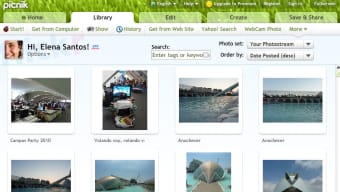
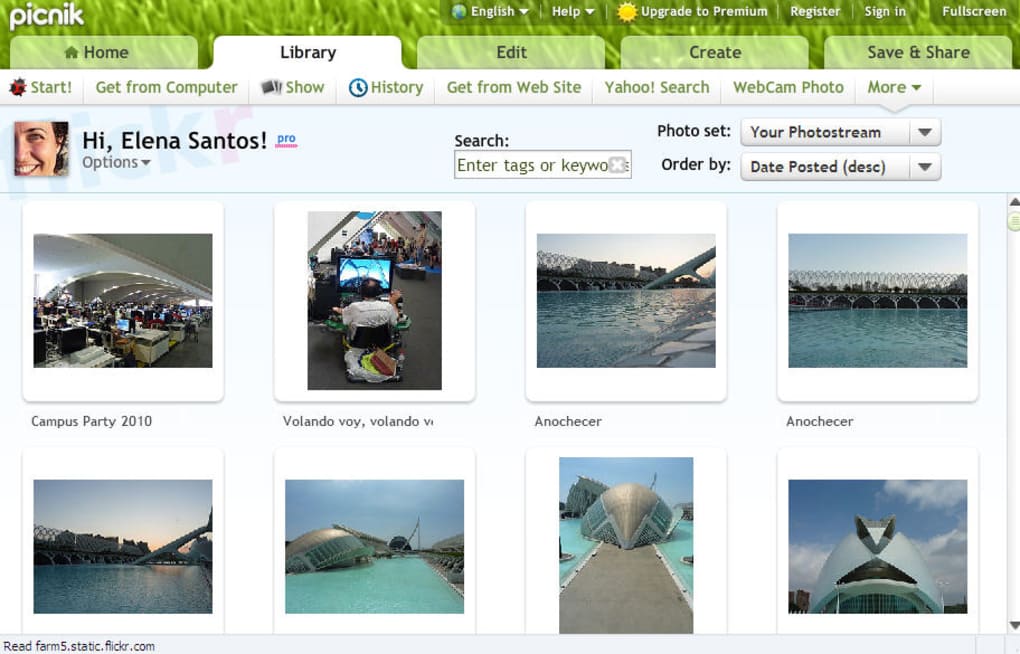
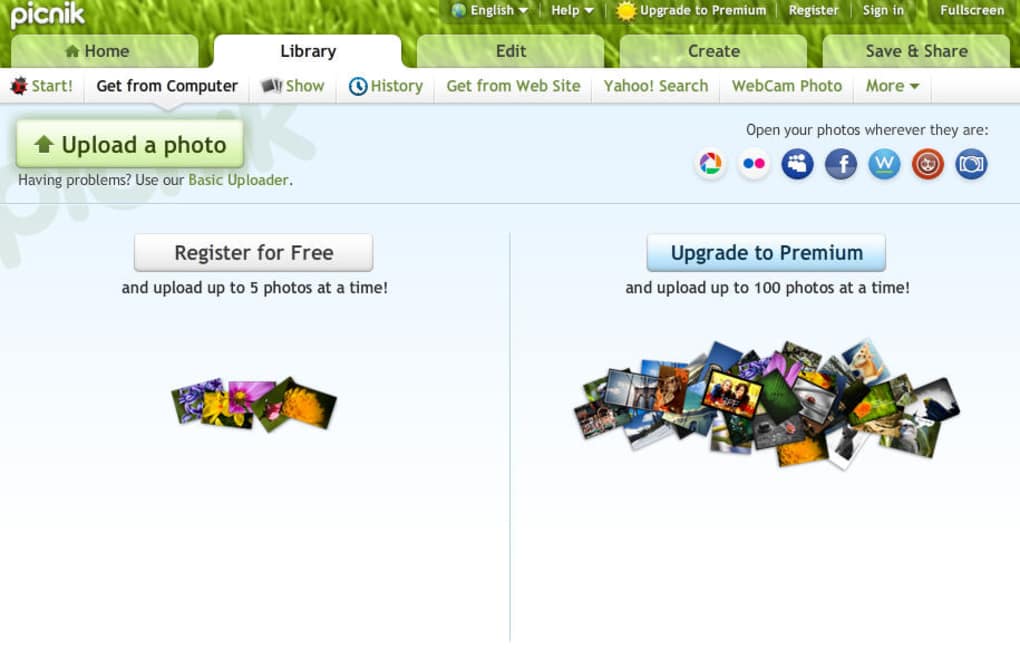
Picnik arrived at a time when most people were still wrestling with heavyweight desktop programs that demanded a steep learning curve. Built on Flash technology, Picnik offered a clean, eye‑catching interface that could be accessed directly from any web browser. The service let users upload images from a hard drive (up to five files at once with a free account) or pull them straight from popular online galleries such as Picasa, Flickr, MySpace, Facebook, Webshots, and Photobucket. Even the most casual photographer could start editing a picture without creating an account – simply drag, drop, and begin.
Once an image is loaded, Picnik’s two‑tab layout keeps the workflow intuitive. The Edit tab provides essential tools: rotate, crop, resize, exposure adjustments, color balance, and a quick‑fix red‑eye removal. The Create tab opens a palette of fun effects, stickers, frames, and filters, many of which are reserved for Premium subscribers. While Picnik does not aim to replace professional suites like Adobe Photoshop, it covers the majority of day‑to‑day needs: polishing a vacation snap, preparing a profile picture, or designing a simple collage for social media.
Security and speed were also part of Picnik’s appeal. Because the editor runs entirely in the cloud, there is no software to install, no updates to manage, and the risk of local malware is minimal. Files are stored temporarily on secure servers, processed, and then delivered back to the user for download or direct sharing. For users who value a hassle‑free, free, and secure way to touch up images, Picnik quickly became a go‑to solution—until the service was discontinued. Even though you can no longer download the original platform, understanding its strengths helps you choose modern alternatives such as PicMonkey or Canva.
Core Features – What Made Picnik Stand Out
- Web‑Based Interface – No installation required; works in any modern browser that supports Flash.
- Simple Upload Options – Drag‑and‑drop from local storage or import from Flickr, Facebook, Picasa, MySpace, Webshots, and Photobucket.
- Edit Tab Tools – Crop, rotate, resize, exposure, color correction, red‑eye removal, and basic retouching.
- Create Tab Effects – A library of stickers, frames, borders, and artistic filters (premium only).
- One‑Click Sharing – Directly post edited images to social networks or download in JPG/PNG format.
- Free Tier Access – Edit a single photo without registration; free accounts can work on up to five images per session.
- Premium Upgrade – Unlock advanced filters, higher‑resolution exports, and batch processing for a modest monthly fee.
- Secure Cloud Processing – Images are processed on encrypted servers, reducing the risk of local data loss.
Each feature was designed with the average user in mind. The upload options eliminated the need for tedious file browsing, while the Edit tab gave quick access to the most common adjustments photographers need after a shoot. For example, a user could rotate a landscape shot that was taken upside‑down, crop out unwanted background, and brighten shadows—all within a few clicks. The Create tab added a layer of creativity, allowing users to turn ordinary photos into greeting‑card‑ready pieces with just one or two added elements.
The free tier’s “no‑account‑required” policy lowered the barrier for first‑time users. A casual social‑media enthusiast could edit a profile picture on the spot, while a small business could quickly produce product photos without paying for a subscription. The premium version, priced at $4.99 per month (when it was available), offered higher‑resolution exports and batch editing—features that appealed to freelancers and small‑scale designers who needed a bit more power without investing in a full desktop suite.
Installation, Usage & Compatibility – Getting Started in Minutes
Because Picnik was a cloud‑based service, the “installation” step was essentially reduced to navigating to the website. Users only needed a modern web browser with Flash support (Chrome, Firefox, Safari, or Internet Explorer) and a stable internet connection. After arriving at the homepage, the workflow was straightforward:
- Click the Upload button and choose a file from your computer or select an online gallery to import.
- Once the image appeared on the canvas, select the Edit tab for basic adjustments or the Create tab for decorative effects.
- Apply tools such as Crop, Rotate, Exposure, or Red‑Eye fix. Changes were previewed in real time.
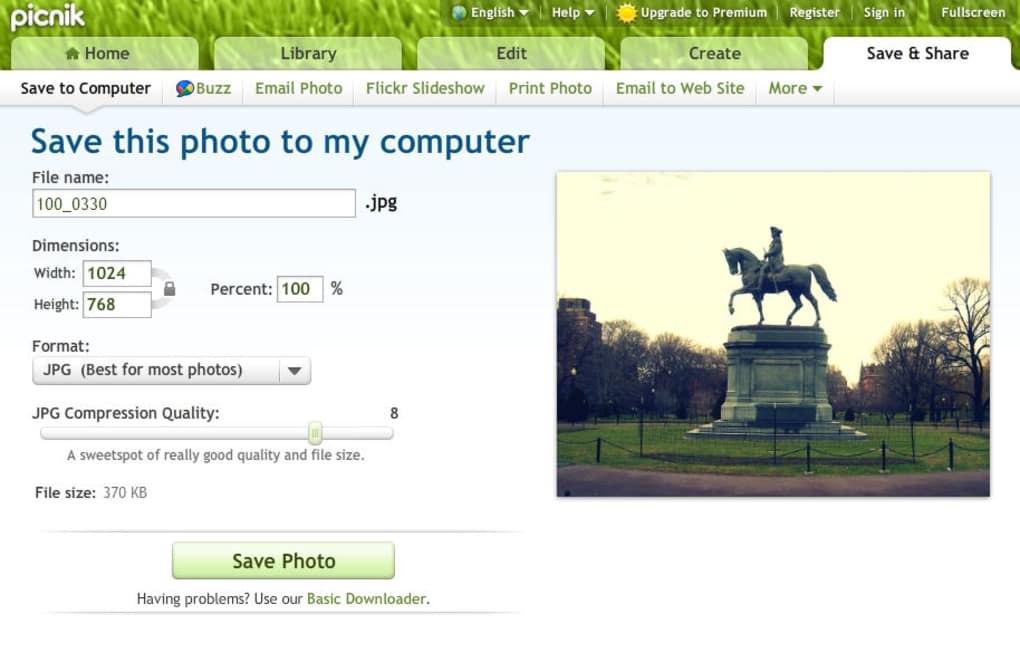
- When satisfied, click Save to download the edited file or choose a sharing option to post directly to Facebook, Flickr, or email.
Since the application ran entirely in a browser, it was compatible with Windows, macOS, Linux, and any other operating system that could run a Flash‑enabled browser. Mobile users could also access a stripped‑down version through a mobile‑friendly site, though the full feature set was best experienced on a desktop or laptop.
The user interface was deliberately minimalist: a white toolbar, clearly labeled icons, and contextual tooltips helped beginners navigate without consulting a manual. For power users, keyboard shortcuts (e.g., Ctrl+Z for undo) and the ability to save custom settings accelerated the editing process. The “instant preview” feature meant there was no need to export and re‑import images to see how a filter looked; changes appeared instantly on the canvas.
While Picnik’s reliance on Flash eventually contributed to its retirement—modern browsers phased out Flash support in favor of HTML5—the overall workflow remains a benchmark for ease of use. Contemporary alternatives have adopted similar cloud‑first approaches, but Picnik’s straightforward three‑step process (upload → edit → save) still serves as a reference for designing user‑centric online editors.
Pros, Cons, FAQ & Final Thoughts – Should You Look for a Replacement?
Pros
- Completely web‑based – no download, no installation.
- Intuitive two‑tab layout separates basic edits from creative effects.
- Free tier allows single‑image editing without registration.
- Supports direct import from popular photo‑sharing platforms.
- Secure cloud processing protects local files from malware.
Cons
- Dependent on Flash; discontinued as browsers dropped support.
- Limited advanced tools – not a substitute for Photoshop or GIMP.
- Batch processing only available to Premium subscribers.
- Export resolution capped for free users.
- No native mobile app; mobile experience was basic.
Frequently Asked Questions
Is Picnik still available for download?
No. Picnik was officially shut down in 2013, and the Flash‑based editor is no longer hosted. Users looking for similar functionality should consider alternatives such as PicMonkey, Canva, or Adobe Express.
Can I edit photos on a Mac or Linux machine?
Yes. Because Picnik ran in a web browser, it worked on any operating system that supported Flash, including macOS and Linux.
What file formats could I export?
Export options were limited to JPEG and PNG. Higher‑resolution JPEGs required a Premium subscription.
Is my data safe when I upload images?
Picnik processed images on encrypted servers and deleted them after the session ended, reducing the risk of long‑term storage breaches.
What are the best modern replacements for Picnik?
Popular choices include PicMonkey, Canva, and Adobe Express. They all provide free tiers, browser‑based editing, and modern HTML5 support.
Conclusion – Why You Should Explore Modern Cloud Editors
Although Picnik’s original service is no longer reachable, its legacy lives on in the design philosophy of today’s cloud‑based image editors. The combination of a free entry point, seamless online access, and a straightforward editing workflow made Picnik a beloved tool for casual users worldwide. If you’re searching for a replacement, look for an application that mirrors these strengths: a no‑download web interface, easy import from social platforms, a clear division between basic edits and creative effects, and a secure, fast processing engine.
For anyone who valued Picnik’s simplicity, PicMonkey offers a very similar two‑tab system, modern HTML5 support, and a generous free plan. Canva expands the creative canvas with templates and design tools, while Adobe Express brings a bit of Photoshop power to the browser. All three provide secure cloud storage, mobile‑friendly designs, and regular updates that keep the tool fresh.
In short, the best way to continue enjoying quick, secure, and free photo editing is to pick a current, actively supported service. Click the links above, sign up for a free account, and experience the same hassle‑free workflow that made Picnik a classic—only with modern technology that works on any device, without the need for Flash.



.png)



